In 2026, while the world is flooded with heavy, AI-driven presentation software, the minimalist charm of the command line remains unmatched for developers and sysadmins. TPP (Text Presentation Program) is the legendary ncurses-based tool that allows you to create and display presentations directly in your terminal.
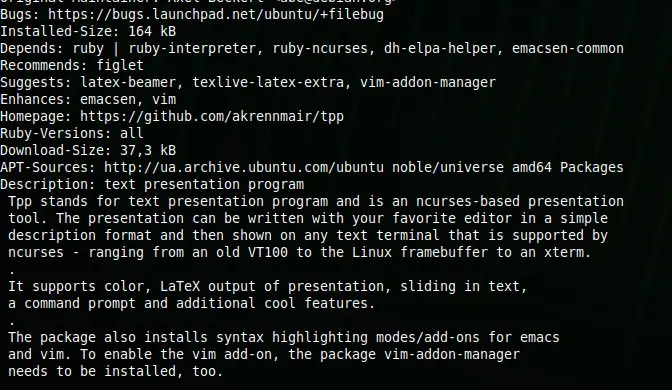
Whether you are presenting at a local LUG, a tech conference, or just sharing your screen on a video call, TPP ensures that your slides are lightweight, version-control friendly, and purely geeky.
Why TPP still rocks in 2026:
- Plain Text: Write your slides in any text editor (Vim, Nano, VS Code).
- Terminal Native: No need for a GPU-heavy PDF viewer or browser.
- Special Effects: Supports slide transitions, colored text, and even “Star Wars” style scrolling text.
- Code Execution: You can actually execute shell commands directly from your slides—perfect for live demos.
Quick Installation
On Fedora and other RPM-based systems:
sudo dnf install tpp
Creating Your First Slide
Create a file named presentation.tpp and add the following:
--author Your Name
--title TPP Mastery 2026
--date today
--footer Tutorials @ Linux Hub
---
--header Welcome to the CLI Era
---
* Minimalist
* Fast
* Versionable with Git
---
--beginoutput
$ echo "Hello from the terminal!"
--endoutput
To run your presentation:
tpp presentation.tpp
TPP is more than just a tool; it’s a statement. It says that your content is more important than flashy animations.




Nice overview. One thing that confused me at first is that TPP presentations don’t display correctly if your terminal window is too small or doesn’t support colors properly. On minimal SSH sessions (especially inside tmux/screen or on remote servers), slides may wrap badly or effects won’t show at all.
If you plan to present remotely, try forcing a larger terminal size (e.g., 120×40) and make sure $TERM supports colors (like xterm-256color). Also, some features such as huge text require FIGlet to be installed, otherwise those commands silently do nothing.
For live demos, TPP is actually great because you can execute shell commands directly inside slides and show real output in real time — something traditional presentation tools can’t do easily.