- What are antidetect browsers?
- Why do we need antidetect browsers?
- Quick selection of antidetect browsers
- Main features and advantages of anti-detect browsers
- TOP Best Antidetect Browsers
- 🥇 1-st antidetect browser on the market:Multilogin X with 24/7 expert support
- Multilogin web version vs. Multilogin X App (desktop)
- How the web version works
- How the Multilogin X app (desktop) works
- Can you use both together?
- Undetectable Antidetect Browser for Anonymity
- Key Expert Features & Architecture:
- Pros & Cons for Professionals:
- Dolphin {anty} Antidetect Browser for Multi-Accounting
- Key Expert Features & Workflow Automation:
- Pros & Cons for Professionals:
- Vision friendly browser with protection from detection.
- Linken Sphere 2 Antidetect Browser of the new generation
- GeeLark Cloud Android devices without physical smartphones
- Browser comparison table
- Conclusion
What are antidetect browsers?
Antidetect browsers are specialized web tools engineered for advanced privacy, fingerprint spoofing, and secure workflow automation. Unlike regular browsers such as Chrome or Firefox, antidetect browsers can change many parameters and fingerprints that sites and advertising networks use to identify and track the user.
When you visit a site through a regular browser, the server receives a lot of data about your device and session: IP address, User-Agent, screen resolution, font data, plugins, timezone, and even WebGL or Canvas features. This collection of data is called a “browser fingerprint”. Antidetect browsers allow you to replace this data, creating unique virtual profiles that make the user virtually untraceable.
Why do we need antidetect browsers?
The main tasks and areas of application of antidetect browsers:
- Marketing and traffic arbitrage. When working with advertising campaigns, it is often necessary to launch several accounts or simulate different users. Antidetect browsers allow you to create multiple virtual identities, bypass restrictions on the number of accounts, blocking and checking.
- Privacy protection. People who want to hide their data from websites, advertising and other services use antidetect browsers to minimize surveillance.
- Testing and development. Security specialists and testers use such browsers to simulate different devices and scenarios.
- Bypassing blocking and censorship. In countries with limited access to Internet resources, antidetect browsers can help bypass filters.
- Working with social networks. To manage multiple accounts without the risk of a ban.
Quick selection of antidetect browsers
Looking for the best value or specific automation features? Below is a quick catalog of verified anti-detect browser coupons and promo codes for July 2026. Save up to 50% on your first purchase or unlock lifetime discounts for professional multi-accounting tools.

Get a 20% discount on your first subscription. Valid for newly registered accounts only. Read GeeLark Review.
More Less
Get a permanent 10% discount on all purchases and subscription renewals. Enter code at checkout. Read Linken Sphere Review
More Less

-20% discount on the first purchase of any Undetectable subscription. Read Undetectable Review
More Less
Get 20% off your first payment. Discount activates strictly via our link for any tariff plan. Read Dolphin Review.
More Less
Get a 50% discount on any plan for the first month. Valid for new users only. Paste code at checkout. Read Multilogin Review.
More Less
Main features and advantages of anti-detect browsers
- Fingerprint spoofing. Ability to change User-Agent, screen resolution, timezone, language settings, plugin data, fonts, WebGL and Canvas.
- Multi-account. Creation and management of dozens and hundreds of separate profiles that are completely isolated from each other.
- Proxy support. For changing IP address and geolocation.
- Automation and integration. Many anti-detect browsers support API, which allows you to automate work and integrate with other tools.
- Security and privacy. Minimizing the risk of data leakage and detection.
- Convenient interface for profile management. You can quickly switch between profiles and change settings.
TOP Best Antidetect Browsers
🥇 1-st antidetect browser on the market: Multilogin X with 24/7 expert support
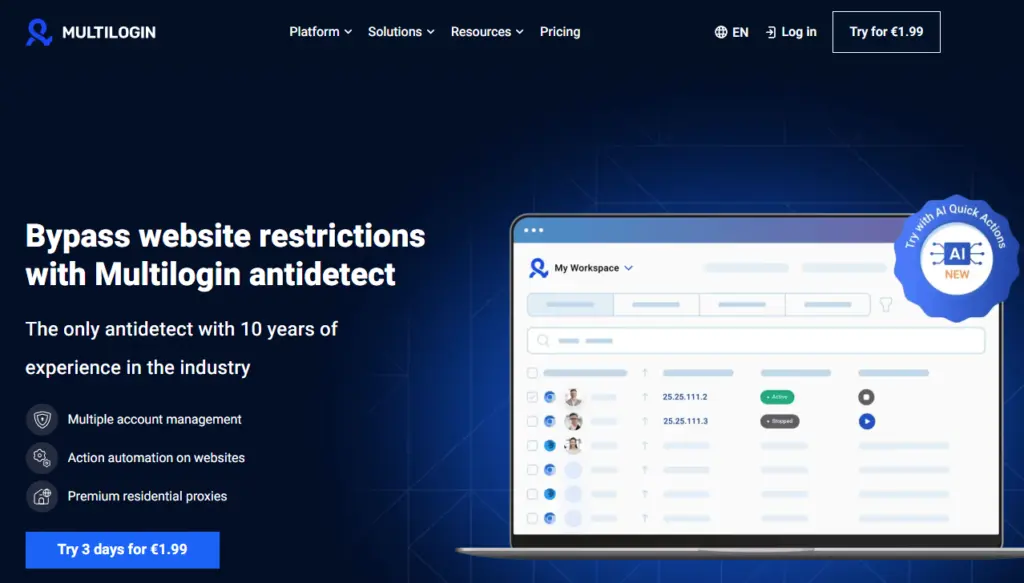
Multilogin X stands out for its balanced combination of features, reliability, and support. It offers both cloud and local profile storage, built-in premium proxies, and cross-platform compatibility (Windows, macOS, Linux). Downloading the Multilogin X App (desktop) makes everything easier to handle. While the learning curve is slightly higher than some competitors, the platform makes up for it with 24/7 expert support in 5 languages, regular updates, and a highly flexible system for multi-account management.
Its pricing is competitive, starting at $11/month, and the 3-day trial allows users to test core features before committing. Overall, Multilogin X stands out as a professional and scalable anti-detect browser, earning its high rating.
Multilogin web version vs. Multilogin X App (desktop)
The web version and the Multilogin X App (desktop) give you two different ways to work, depending on what your day looks like. One runs inside your browser with the legacy agent, the other starts everything automatically through the built-in launcher. Both stay synced, both use the same account, and both follow your changes instantly — you just pick the version that matches the task in front of you.
How the web version works
The web version runs directly inside your browser. You log in, open your workspace, and manage everything from a regular tab. To start profiles from the web version, you connect the lightweight legacy agent — that small helper app that lets your browser control profile launches. It’s simple, and it’s great when you’re organizing profiles, making quick edits, or moving through tasks that don’t require constant launching.
How the Multilogin X app (desktop) works
The desktop app is different because the launcher is built in. You open the app and the launcher is already running, so starting profiles takes fewer steps. It keeps things steady when you’re working with many profiles, switching projects often, or running tasks for a team. Everything loads fast, and you don’t think about the agent in the background — it’s already there.
Can you use both together?
Yes — you can have both versions, but you don’t run them at the same time. Most people keep the web interface for quick edits and organization, then open the desktop app when they want to start profiles through the built-in launcher. Your account stays the same, your data stays the same, and any changes appear instantly once you switch versions. You simply choose which one to use depending on the task in front of you.
Undetectable Antidetect Browser for Anonymity
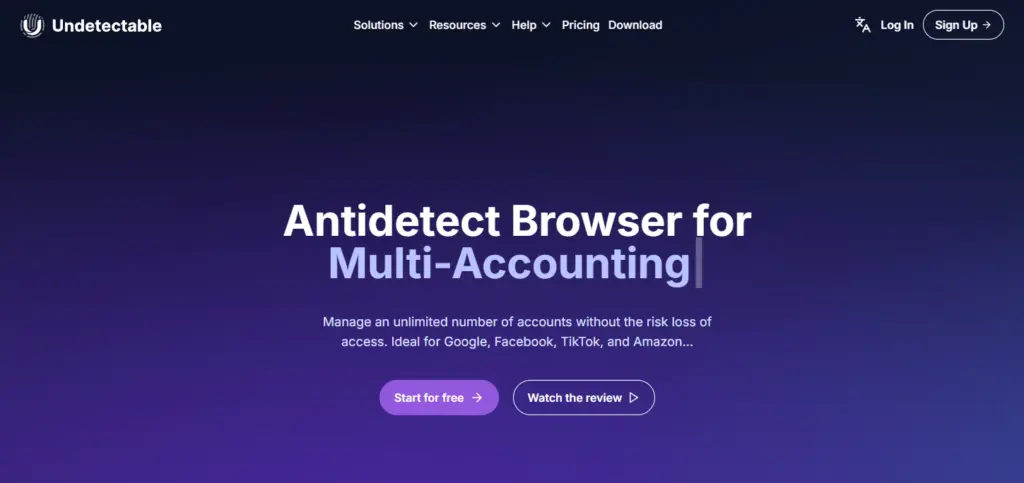
Undetectable is a next-generation anti-detection browser built on Chromium that perfectly balances expert-grade privacy with advanced automation and a highly flexible architecture.
-20% discount on the first purchase of any Undetectable subscription. Read Undetectable Review
More LessKey Expert Features & Architecture:
- Hybrid Storage Architecture: A standout feature of Undetectable is storage flexibility. You can choose where to store your profile data: locally on your device, in the cloud, or on your own private server. Local and self-hosted storage eliminates the risks of third-party cloud data leaks, ensuring maximum security for sensitive accounts and crypto wallets.
- Unlimited Local Profiles: Unlike most competitors that charge strictly per profile, Undetectable offers unlimited local profiles on all paid plans (starting from $49). This makes it incredibly cost-effective for massive solo operations.
- Realistic Digital Fingerprints: Advanced substitution of parameters (UserAgent, WebRTC, WebGPU, WebGL, Geolocation, system fonts, and cores) that successfully bypass strict anti-fraud systems of Google, Facebook, TikTok, and Amazon.
- Mass Scaling & Warm-up: Bulk profile creation in a few clicks combined with a built-in Cookies Robot that automatically warms up profiles by browsing popular sites based on selected GEOs to increase trust.
- Advanced Automation & Synchronization: Native Synchronizer replicates actions (scrolling, typing, extensions management) across multiple profiles simultaneously. Full integration with Puppeteer, Playwright, and Selenium via Chrome DevTools Protocol allows for deep, code-level process automation.
Pros & Cons for Professionals:
- Advantages: Unmatched local execution speed, regular Chromium engine updates, built-in proxy mass-manager with an availability checker, and a configuration store (from $1 per high-quality profile).
- Limitations to Consider: While it features a cloud panel with 33+ granular access settings and role management, scaling large teams can become expensive due to the high cost of additional sessions and limited cloud profiles. Local profiles do not sync between team members, making Undetectable an absolute beast for individual power-users and small-to-medium teams, rather than massive corporations.
Advantages of Undetectable
- Step-by-step creation and management of profiles with detailed settings.
- Realistic fingerprints that pass most anti-fraud systems.
- Stable technical support and frequent updates.
Who is it for
Suitable for arbitrageurs, SMM specialists, marketers and anyone who works with a large number of accounts on Google, Facebook, TikTok and other platforms.
Dolphin {anty} Antidetect Browser for Multi-Accounting
Dolphin anty is a prominent, professional-grade anti-detection browser heavily tailored for affiliate marketing, e-commerce, crypto, and SMM. Built directly on a modified Chromium core, it is engineered for deep human-behavior simulation and seamless management of hundreds of isolated accounts.
Get 20% off your first payment. Discount activates strictly via our link for any tariff plan. Read Dolphin Review.
More LessKey Expert Features & Workflow Automation:
- Deep Core-Level Spoofing: Instead of using basic JS-overlays, Dolphin {anty} alters digital fingerprints (UserAgent, WebRTC, Canvas, WebGL, WebGPU, ClientRects, Navigator, etc.) at the browser’s source code level. This ensures high-trust levels when bypassing strict anti-fraud tracking on Google, Facebook, TikTok, and Amazon.
- No-Code Automation Scenarios: A standout feature is the visual template designer. Users can build custom automation scripts (e.g., auto-posting, scrolling, farming) on an interactive map without any programming skills.
- Advanced Synchronization & Warm-up: Features an integrated Cookie Robot that automatically browses websites based on specified parameters to collect history. The native Synchronizer mirrors repetitive actions across dozens of profiles simultaneously.
- Facebook Ads Ecosystem (Dolphin Cloud): It includes a dedicated ad-management toolkit that consolidates multiple Facebook advertising accounts into a unified dashboard to launch, duplicate, and monitor campaigns without constant profile-switching.
- Streamlined Proxy Management: Offers bulk proxy import, a built-in IP rotation trigger for mobile proxies.
Important 2026 Policy Changes & Plans: Updated Free Tier: Dolphin {anty} has reduced its unlimited free plan to 5 browser profiles. Crucially, the free plan now supports local storage only (no cloud synchronization between devices).
Pros & Cons for Professionals:
- Advantages: Exceptionally user-friendly UI with mass-tagging, statuses, and custom notes; unmatched visual script builder for non-coders; robust profile sharing features for teams.
- Limitations to Consider: The pricing sits on the higher end of the market for solo operators compared to unlimited local-profile alternatives. Success on strict platforms heavily depends on a rigorous, high-quality proxy setup.
Vision friendly browser with protection from detection.
Vision is a relatively young, but already popular anti-detect browser with a strong emphasis on teamwork and a petal structure of profiles (folders).
Key features:
- Grouping accounts into folders with individual settings for extensions, bookmarks and start pages.
- Realistic fingerprints without “twists”, the task is to blend in with the crowd, not to stand out.
- SOCKS5 proxy support.
- Advanced rights management system in the team.
- Cookie robot and synchronizer, automation via AI.
- High startup speed and minimal load on the computer.
User Reviews
Users note that Vision is one of the lightest and fastest anti-detection browsers, which does not sacrifice functionality. Support responds very quickly, updates are released regularly.
Linken Sphere 2 Antidetect Browser of the new generation
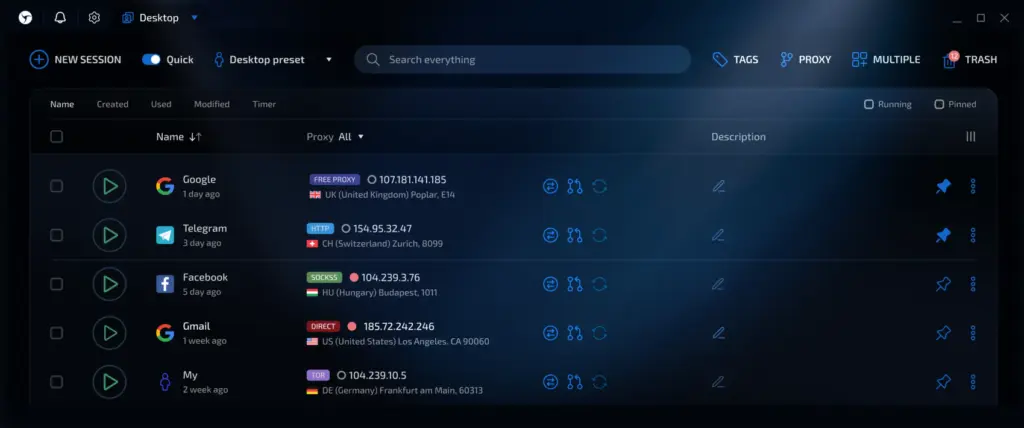
Linken Sphere is a technological breakthrough in the field of anti-detect browsers with maximum coverage of all fingerprint parameters and a unique architecture.
Get a permanent 10% discount on all purchases and subscription renewals. Enter code at checkout. Read Linken Sphere Review
More LessDeep parameter substitution
- Substitution of GPU, Canvas, AudioContext, ClientRects, Plugins, Fonts, MIME Types, WebGL of high quality.
- Support for real emulation of fonts, hardware devices, audio devices.
- Powerful emulation of screen resolution and screen scaling without loss of plausibility.
- Virtualization: each tab is a separate virtual machine with isolated data storage, cookies and network settings.
- Setting up HTTP headers, navigator API and other system variables.
Protocol and security support
- Works with SSH, SOCKS, TOR directly and without additional plugins.
- The browser is not tied to hardware, which makes it easier to transfer and activate.
- Built-in Tor support for safe movement on the Onion network.
- Advanced warm-up with transitions through search engines and deep page visits.
Mobile emulation
- Support for mobile fingerprints and full emulation of iOS and Android.
- Configuring hardware and software parameters of mobile devices.
Who is Linken Sphere for?
This is the choice of experienced professionals who need maximum customization and stability, working with large projects that require increased security and flexibility.
GeeLark Cloud Android devices without physical smartphones
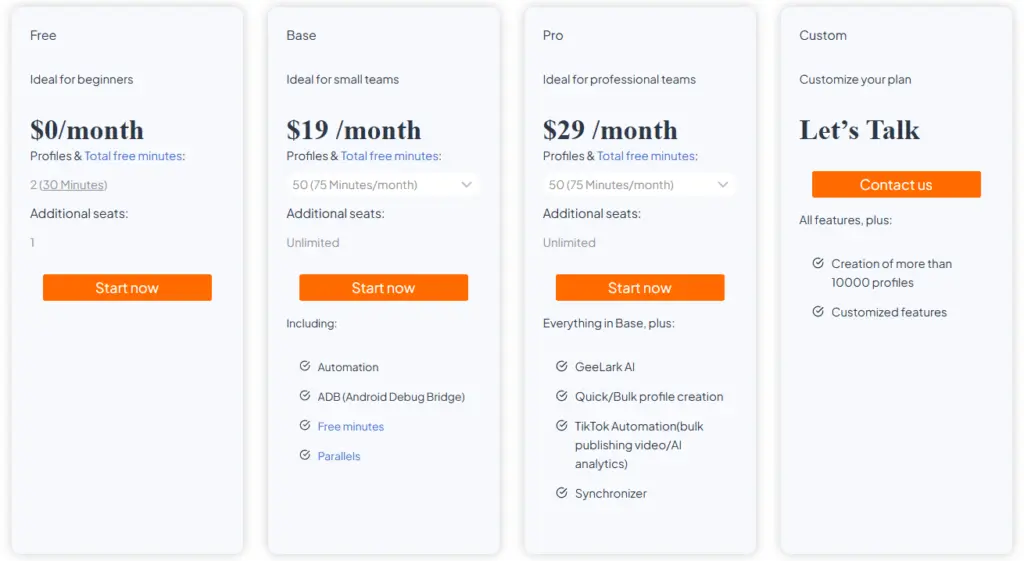
GeeLark is an innovative platform that focuses on mobile multi-accounting via remote smartphones with browser control.
Get a 20% discount on your first subscription. Valid for newly registered accounts only. Read GeeLark Review.
More LessHow GeeLark works
- Launching Android applications on remote virtual devices with unique parameters, including Device ID, IMEI, MAC, etc.
- Unique cloud infrastructure allows you to scale the number of accounts without purchasing physical equipment.
- Profile management and synchronization of actions between devices using AI assistants.
Features of work
- Ideal for working with mobile social networks, marketplaces, bets and games.
- You can create dozens and hundreds of accounts, each of which emulates a separate real phone.
- Automation of actions using the built-in synchronizer.
- Convenient web interface for remote control, statistics and action log.
Who is GeeLark for?
Mobile app developers, airdrop farmers, mobile traffic arbitrageurs and SMM specialists looking for a lightweight and scalable solution without complex technical settings.
Browser comparison table
If you’re considering using Undetectable, you might also want to explore other popular antidetect browsers. We’ve compiled a dedicated ranking featuring the top solutions for anonymous browsing, multi-accounting, and secure online operations. You can learn more about these tools in our comprehensive comparison article.
| Comparison criteria | Multilogin X | Dolphin Anty | Undetectable |
|---|---|---|---|
| Trial before purchase (free plan/trial) | 3-day paid trial $2 | Upon registration, 5 free profiles (limited functionality). | Free plan with 5 cloud profiles (limited functionality). |
| Price (from) | ≈ $11/month | ≈ $89/month | ≈ $49/month |
| Number of browser profiles (in the basic plan) | 10 profiles with cloud and local storage. | Up to 100 browser profiles. | Local profiles: unlimited. Cloud profiles: 50. |
| OS | Windows, macOS, Linux | Windows, macOS, Linux | Windows, macOS |
| Cloud launch (cloud profiles) | Yes | Yes | Yes |
| Teamwork | Shared access and roles starting from PRO100 plan (€79/month). | Available, configured in the browser. | Available via an additional cloud panel. |
| Beginner-friendliness | Medium learning curve | User-friendly interface | Easy start |
| Proxy integration / built-in proxies | Built-in premium proxies (1 GB monthly). External proxies can be connected. | Easy integration of external proxies from 5 providers. Manual setup possible. | Integration only with ASocks. Manual setup possible. |
| Support & updates quality | Regular updates, 24/7 support in 5 languages. | Frequent updates, support in EN/RU. | Regular updates, support in EN/RU. |
| Final rating (max. 10) | 8.5 | 8.0 | 7.1 |
Conclusion
The choice of anti-detect browser depends on specific tasks:
- For large-scale multi-account management with local and cloud profile storage, plus 24/7 expert support — Multilogin.
- For large-scale multi-accounting and professional automation with local storage of profiles, Undetectable is best suited.
- If you need simplicity, speed of start and a free start, Dolphin Anty is recommended.
- For deep customization and work with mobile emulators in one solution – Linken Sphere.
- For mobile multi-accounting and work with applications in the cloud – GeeLark.
Each of these products is regularly updated and developed to meet the growing demands of the market and bypass new detection methods.
This article will allow you to systematize knowledge about modern anti-detections and make a reasonable choice, based on specific goals, budget and technical preferences.
-
GeeLark Browser Promo Code (20% Off Coupon for New Users)
-20%Get a 20% discount on your first subscription. Valid for newly registered accounts only. Read GeeLark Review.
More Less -
Linken Sphere Promo Code for Antidetect Browser (Lifetime 10% Off)
-10%Get a permanent 10% discount on all purchases and subscription renewals. Enter code at checkout. Read Linken Sphere Review
More Less -
Undetectable Promo Code & Coupon 20% Off
-20%-20% discount on the first purchase of any Undetectable subscription. Read Undetectable Review
More Less -
Dolphin Anty Promo Code for Antidetect Browser (20% Off Coupon)
-20%Get 20% off your first payment. Discount activates strictly via our link for any tariff plan. Read Dolphin Review.
More Less -
Multilogin Promo Code for Any Plan (50% Off First Month Coupon)
-50%Get a 50% discount on any plan for the first month. Valid for new users only. Paste code at checkout. Read Multilogin Review.
More Less
 Top Temporary VPS for Testing & Experiments (2026)
Need a fast cloud server for a few hours or days? Deploy an isolated testing environment, run your scripts, and destroy it without any monthly commitments. Secure payments via Crypto (USDT) & PayPal supported.
• Exclusive Welcome Bonus: Get an extra 15% on your first balance top-up within 24 hours after registration.
• Best-in-class Storage VDS configurations with huge disk space for heavy data testing.
• High-speed hardware platform with a stable presence in the Netherlands (Europe).