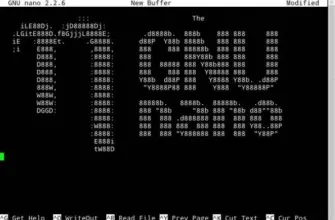
screenFetch is a simple command line utility to display information about system and resources.
In fact, screenFetch is just a script written in bash that outputs a variety of information. It automatically detects what distribution do you have, and displays the logo of the distro in text form (ASCII). To the right of the logo is displayed various information about the system and resources of your computer.
screenFetch displays the following information:
- The name and version of the operating system
- The kernel version
- The system (uptime)
- The number of installed packages
- Version shell and
- Screen resolution
- Desktop environment
- Window Manager
- Used themes
- The processor name
- The name of the video card (GPU)
- Free and occupied space of RAM
To launch the utility needs to be run in the command prompt:
screenfetch
It supports various command-line arguments.
For example, if you add -n, then the logo will not be displayed:
screenfetch -n
To change the color scheme used arguments are -c1, -c2 , and so on, for example:
screenfetch -c5
A more detailed description of screenFetch, the complete list of arguments and their descriptions can be obtained by running:
screenfetch -h
Login to commentI like Likes: +1войдите to put the huskies
Install ScreenFetch in Ubuntu Linux:sudo apt install screenfetch
The program website (free download):Utility screenFetch
The program is cross-platform and works in:
- Linux
- MacOS
- BSD
Screenshots of the program
- ScreenFetch: system information and logo LinuxMint (version: 3.6.8)

- ScreenFetch: information about the system and the Ubuntu logo (version: 3.6.8)

 Top Temporary VPS for Testing & Experiments (2026)
Need a fast cloud server for a few hours or days? Deploy an isolated testing environment, run your scripts, and destroy it without any monthly commitments. Secure payments via Crypto (USDT) & PayPal supported.
• Exclusive Welcome Bonus: Get an extra 15% on your first balance top-up within 24 hours after registration.
• Best-in-class Storage VDS configurations with huge disk space for heavy data testing.
• High-speed hardware platform with a stable presence in the Netherlands (Europe).