CoreCtrl is a specialized C++ / QT / QML graphical application for monitoring and configuring performance, linking hardware settings to running applications.


With CoreCtrl, you can set and apply “hardware configuration profiles” that change the parameters of the processor (CPU) and graphics card (GPU), depending on the application or game you are running.


CoreCtrl allows you to view detailed parameters about the CPU and GPUused , “profiles” are linked to executable files of applications or games, including those launched using the Wine emulator (an alternative implementation of the Windows API).

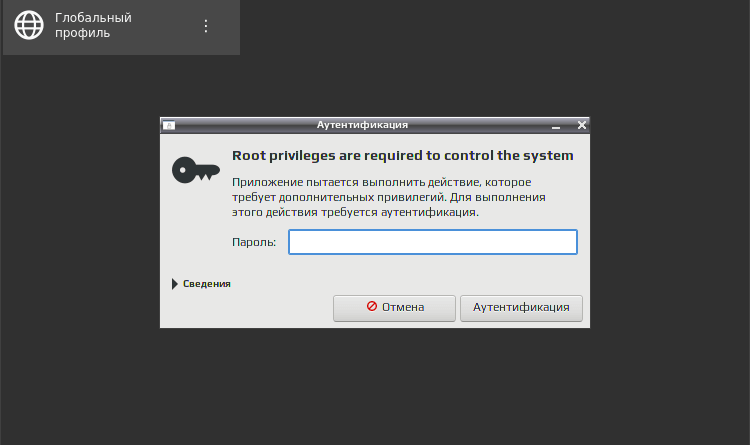
CoreCtrl requires administrator rights (root) to work, it is integrated into the notification area (system tray) and monitors activity in the system, automatically activating or disabling “profiles” when the associated application or game starts or shuts down.

Details about the “profile” operation can be viewed on the graph showing the GPU frequency, temperature, power, and activity. The created profiles can be exported and imported (in a*. ccpro file).

You can link the “profile” to the maximum performance, in automatic and fixed mode (low or high), balanced mode and power saving mode (battery charge). CoreCtrl allows you to track changes in temperature, the status of existing system sensors, and various metrics (CPU load, memory consumption, etc.) during the execution of applications or games.

CoreCtrl is under active development and does not yet support working with the full range of equipment available to users, project author Juan Palacios( Juan Palacios).

License: GNU General Public License version 3.0 (GPLv3)

Author: posixru
 Top Temporary VPS for Testing & Experiments (2026)
Need a fast cloud server for a few hours or days? Deploy an isolated testing environment, run your scripts, and destroy it without any monthly commitments. Secure payments via Crypto (USDT) & PayPal supported.
• Exclusive Welcome Bonus: Get an extra 15% on your first balance top-up within 24 hours after registration.
• Best-in-class Storage VDS configurations with huge disk space for heavy data testing.
• High-speed hardware platform with a stable presence in the Netherlands (Europe).